Project Context
Buying clothing online often comes with hesitation. Without the ability to physically try on items, shoppers rely on product photos, size charts, and reviews to make decisions.
DTRMND was created to reduce uncertainty during the shopping process while also providing a smoother path from browsing to purchase. The platform combines product browsing with a virtual try-on experience to help users visualize how items may look before buying.
The Core Problem: Confidence Drops Between Selection and Purchase
While browsing fashion online can be engaging, the experience often breaks down during the later stages of the shopping journey. Two major areas contribute to this friction:
- Uncertainty during product evaluation – Shoppers cannot physically try on items and product images may not reflect how clothing looks on their own body, leading to hesitation before committing to a purchase.
- Checkout friction – Confusing cart management, lack of clear feedback when adjusting quantities, and interruptions during the purchase process can stall the sale.
DTRMND was designed to address both of these points by combining a visual decision tool with a structured purchasing flow.
Virtual Try-On: Supporting Product Decisions
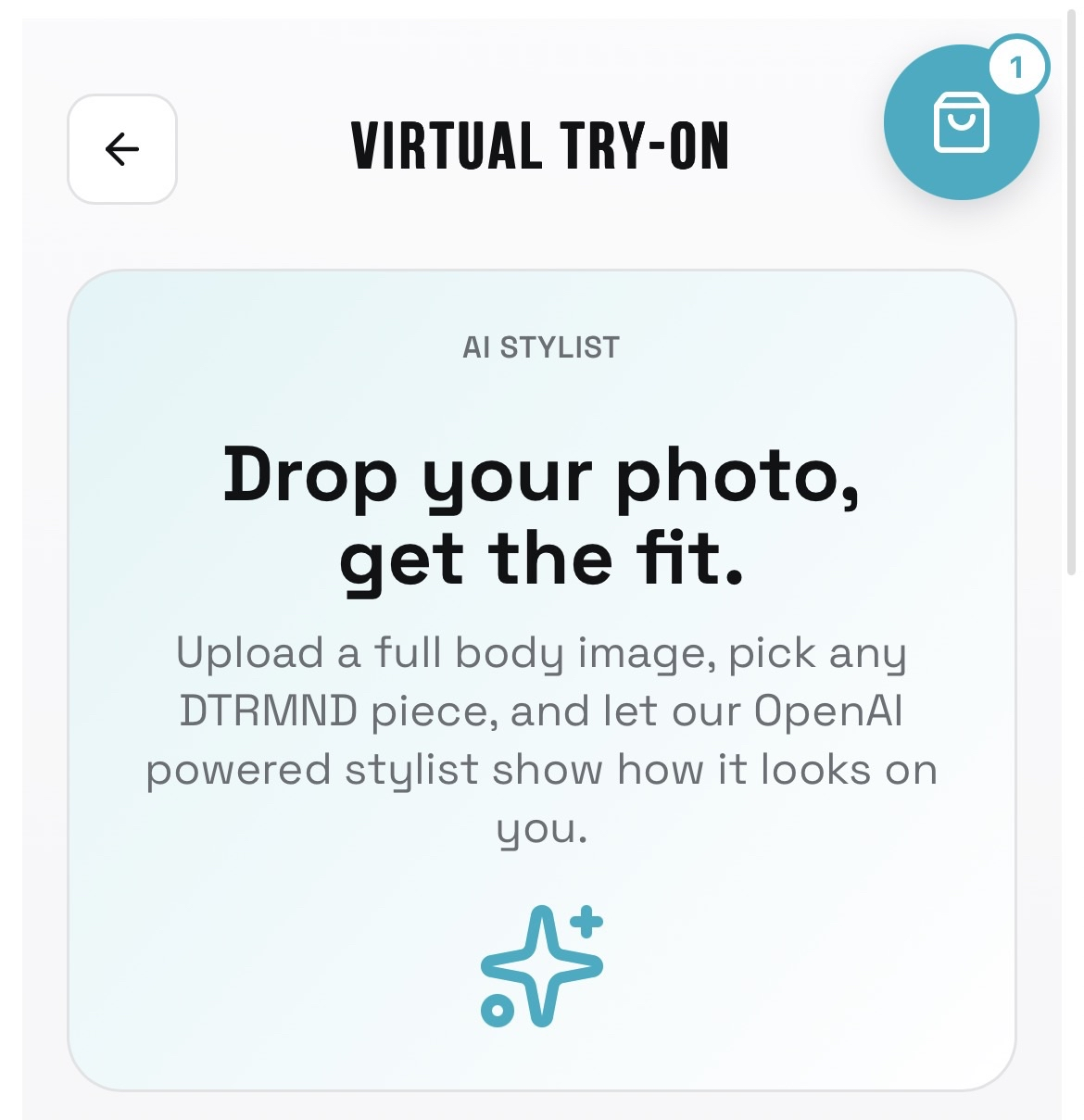
A central feature of the platform is the virtual try-on system. Users can upload an image and preview how selected clothing items may appear on their own photo. This gives shoppers a more personal reference point than traditional product photos alone.
The goal of this feature is to support decision-making before the purchase stage, helping users feel more confident about the items they add to their cart.
My Role: Building the Cart and Checkout Experience
Within the project, I owned the cart and checkout experience. My responsibility was to ensure that once users decided to purchase an item, the process from cart management to final checkout felt clear and uninterrupted.
Key areas I focused on included item persistence within the cart, quantity management, and creating a smooth transition from browsing to purchase completion.
Cart System: Managing Item Persistence
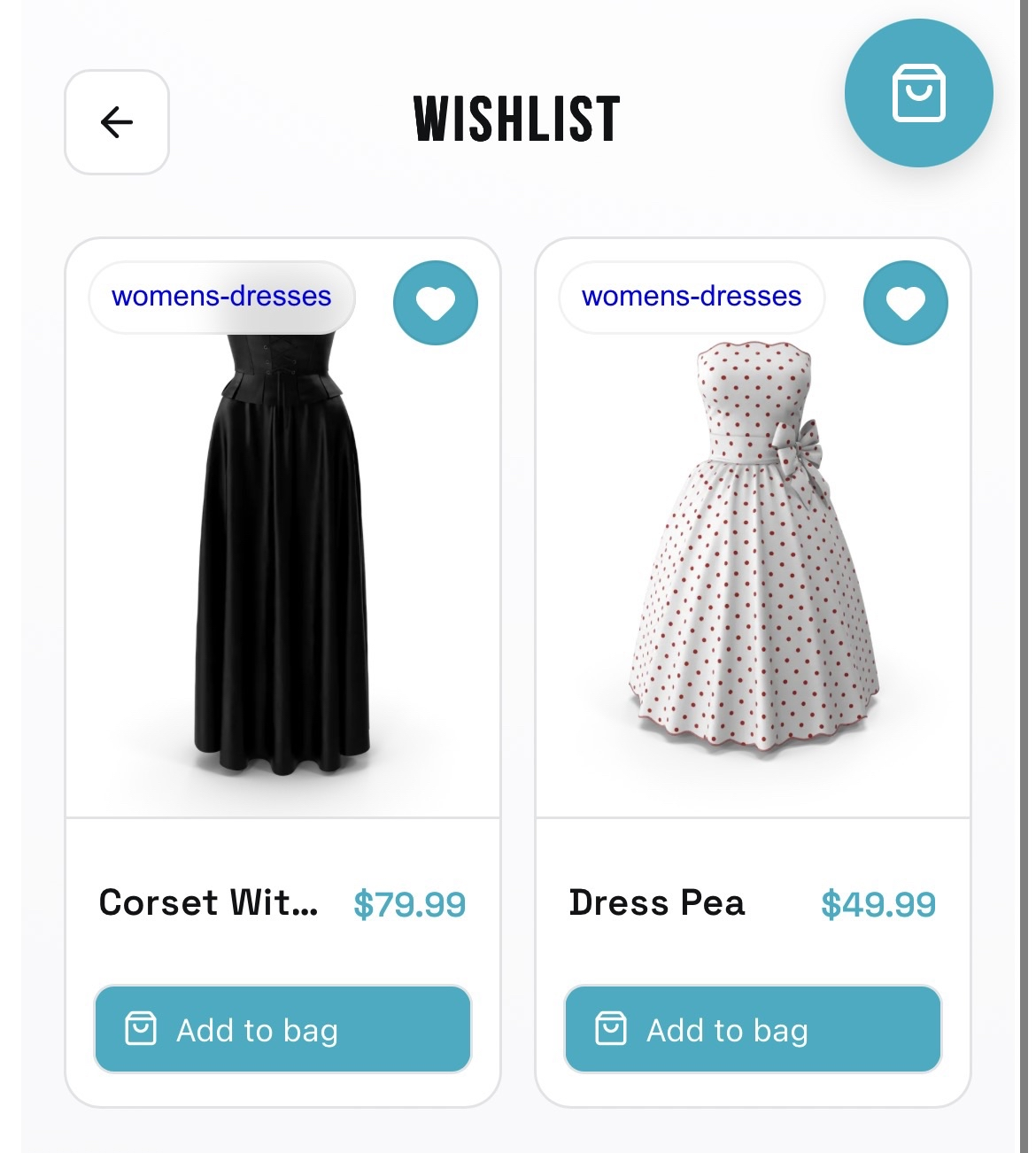
The cart needed to maintain a clear and reliable record of selected products. I worked on ensuring that items added to the cart remained visible and accessible throughout the user's session.
This allowed shoppers to review their selections, make adjustments, and continue through the checkout process without losing track of what they had chosen. Maintaining item persistence helped support a consistent shopping experience across the platform.
Quantity Management: Giving Users Control
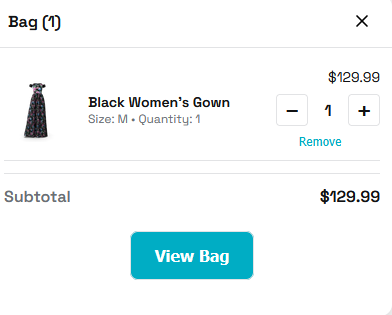
Another important part of the cart experience was quantity management. Users needed a simple and responsive way to adjust the number of items they wanted to purchase.
The interface was designed to clearly display item quantities, allow users to update quantities easily, and reflect those changes immediately within the cart. This ensured that shoppers could modify their selections without confusion or unnecessary steps.
Designing a Smooth Checkout Flow
The checkout stage is one of the most sensitive parts of an e-commerce experience. Even small disruptions can cause users to abandon a purchase.
My work focused on creating a smooth and predictable path from cart to purchase completion. Key priorities included maintaining consistency with the overall UI, keeping the interface clear and structured, and reducing unnecessary steps during the purchase flow.
By keeping the checkout process straightforward, the design supported users who had already decided to buy and simply needed a reliable way to finish the transaction.
Design Focus: Clarity, Responsiveness, and Consistency
- Clarity – Information needed to be immediately understandable so users could quickly confirm what they were purchasing.
- Responsiveness – Interactions such as quantity changes needed to update smoothly and reliably.
- Consistency – The cart and checkout experience had to match the visual structure and behavior of the rest of the platform to avoid disrupting the user journey.
What I Learned
- Confidence in purchasing decisions starts earlier in the user journey.
- Checkout flows must minimize friction to prevent abandonment.
- Clear cart management is essential for maintaining user trust.
- Consistent UI patterns help users move through purchasing steps more comfortably.
Contributing to the cart and checkout system allowed me to focus on the part of the shopping journey where clarity and reliability matter most.